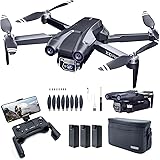
Have you ever dreamed of an FPV drone that could stay airborne for over an hour, exploring vast distances without the constant need for battery swaps? The Tricopter LR build video above provides a fantastic walkthrough for constructing just such a machine. This comprehensive guide will complement the video, offering deeper insights and detailed explanations to help you successfully build your own long-range tricopter.
Building a custom FPV drone like the Tricopter LR requires precision, patience, and a good understanding of electronics and mechanics. This article breaks down each critical phase, from initial frame assembly to the nuanced art of propeller balancing, ensuring your long-range FPV machine achieves optimal performance and flight endurance.
Understanding the Long-Range Tricopter Advantage
The Tricopter LR stands out in the FPV world by offering impressive flight times, often exceeding an hour on a single charge. This exceptional endurance is achieved through a combination of lightweight design, efficient motor-propeller pairings, and optimized battery configurations. Unlike traditional quadcopters, the tricopter design, with its unique tilt mechanism for yaw control, can sometimes offer a slightly different aerodynamic profile and efficiency in specific flight conditions.
The ability to stay aloft for extended periods opens up new possibilities for exploration, aerial photography, and surveying. Imagine soaring over vast landscapes, capturing breathtaking footage, or covering significant distances in a single flight. This guide focuses on building a robust and reliable platform capable of these ambitious aerial feats, making your FPV adventures truly epic.
Beginning Your Tricopter LR Frame Assembly
The foundation of any durable FPV drone is its frame assembly. Start by carefully sorting your hardware; the longest screws and corresponding lock nuts are crucial for securing the primary structural components. When attaching the arms to the main frame, ensure the screw heads are consistently on the bottom side to prevent any potential interference with the battery compartment later.
The front arms of the Tricopter LR are specifically designed with a rounded edge, which should always point forward. Proper orientation ensures structural integrity and correct aerodynamic flow. Tighten these screws firmly but avoid excessive force; a good grip is essential without stripping threads or over-stressing components. A nut driver, a specialized tool for tightening nuts, can make this step significantly easier and more secure, preventing dropped hardware and ensuring uniform tension.
Prepping the Crucial Tilt Mechanism
The single tilt mechanism on the Tricopter LR is pivotal for yaw control, making its smooth, friction-free operation absolutely essential. The video highlights that tolerances can be extremely tight, requiring careful material removal for optimal movement. Using a sharp craft knife or fine-grit sandpaper allows you to precisely reduce friction until the mechanism rotates freely without excessive play.
Periodically testing the fit by inserting a screw and moving the components back and forth is key to achieving the perfect balance. This iterative process prevents the mechanism from being too “floppy-di-flippy” while ensuring it doesn’t bind. Optimal friction reduction is vital for precise control authority and extends the lifespan of your servo by preventing unnecessary strain.
Mastering Tricopter LR Electronics Soldering
Soldering is a fundamental skill for FPV drone builders, and the Tricopter LR demands clean, reliable connections. Begin by pre-tinning all pads on the Baby PDB and the wires you intend to solder. Pre-tinning means applying a thin layer of solder to both surfaces before joining them, which ensures excellent adhesion and electrical conductivity.
Using a soldering iron with ample wattage is more effective than relying on excessively high temperatures, as higher wattage maintains heat more consistently. The narrator specifically recommends leaded solder, such as 63/37 or 60/40 compositions, over lead-free alternatives. Leaded solder flows better, penetrates more effectively, requires lower temperatures, and is generally easier to work with, leading to stronger, more reliable joints. If you encounter a pre-tinned lead-free wire from the factory, always reheat it and add your own leaded solder to avoid potential cold solder joints.
Essential PDB Connections and Setup
The Baby PDB (Power Distribution Board) is a central hub for your Tricopter LR’s electronics. It features a powerful, built-in BEC (Battery Eliminator Circuit) capable of outputting a stable 6 volts, which is the optimal voltage for maximizing the speed and torque of your servo. A small solder bridge between the middle pin and the 6-volt pin activates this output.
The PDB also incorporates vital features like BEC output, current sensing, and voltage sensing, alongside dedicated pads for all ESCs (Electronic Speed Controllers). When connecting ESC wires, carefully measure and cut them to the specified lengths—80 millimeters for one side and 60 millimeters for the other, adjusting based on left or right arm placement. Always double-check polarity, soldering red to positive and black to negative, to prevent severe damage to your components. Neatly routing and managing cables flat against the board creates a cleaner build and conserves valuable space for other components.
Understanding Signal Wires and EMF Noise
The negative signal wire on your ESCs plays a crucial role in mitigating EMF (Electromagnetic Field) noise. When large currents flow through wires, they generate electric fields that can induce unwanted signals in parallel wires. In FPV drones, powerful motor currents create pulses that can disrupt sensitive signal lines. By twisting the negative and signal wires together, you create alternating loops that effectively cancel out this electromagnetic interference, ensuring a clean and stable signal to your flight controller.
Connecting the servo’s brown wire to a negative pad and the red wire to a BEC pad on the Baby PDB provides stable power. Additionally, connect a separate ground wire from the PDB to your flight controller, alongside the VBat (battery voltage) and ISense (current sensor) cables. These connections provide essential telemetry data, allowing your flight controller to monitor battery status and power consumption accurately.
Installing Motors and the Flight Controller Stack
The Tricopter LR utilizes low kV Emax motors, chosen for their efficiency when paired with 8-inch propellers and 3-cell LiPo batteries. This combination is a key factor in achieving over an hour of flight time, a significant improvement over their original design for 6-cell LiPos and 5-inch props. When mounting the motors, use screws specifically designed for 4mm thick arms.
Crucially, always apply blue Loctite to motor mounting screws. Vibrations during flight can easily loosen screws, potentially leading to catastrophic failure. Loctite provides a secure, yet removable, threadlock that withstands these forces. For the back motor, utilize the screws included with the tilt mechanism, ensuring a snug and stable fit.
Mounting the Flight Controller and Receiver
The flight controller stack typically begins with nylon standoffs mounted to the Baby PDB, with the board oriented downwards towards the frame. The flight controller then sits atop these standoffs, with its arrow pointing forward to ensure correct orientation for the flight software. Refer to your specific flight controller’s manual, such as the Kakute 2 mentioned in the video, for precise servo and ESC pinouts.
The custom RC Explorer servo, featuring a feedback wire, provides real-time position data to the flight controller, offering advanced control capabilities. However, not all flight controllers support analog input for this feature. When routing signal wires from the ESCs, optimize their length to avoid a “rat nest” of cables, contributing to a clean aesthetic and reduced interference. The ground wire previously added to the PDB, along with the VBat and ISense cables, connects to the flight controller, completing the essential power and telemetry links.
Receiver and Video System Integration
Integrating your receiver and video system requires careful consideration to minimize interference and maximize range. The Tricopter LR typically uses a telemetry-enabled 2.4 GHz receiver initially, though switching to an 800 MHz system for improved long-range performance and reduced interference from 1.2 GHz video systems is recommended. FPV cameras generally mount easily with standard brackets, often secured with double-sided tape and a screw.
Connect the FPV camera’s video output directly to the flight controller’s built-in OSD (On-Screen Display) input, then route the OSD output to your video transmitter. Powering the FPV camera directly from the main battery through the Baby PDB is common. If you encounter lines in your video feed, an external LC filter (capacitor and inductor) can smooth out voltage ripples, providing a cleaner picture. Mount this filter as close as possible to the camera for maximum effectiveness.
Antenna Placement and Interference Management
Optimal antenna placement is critical for reliable control and video transmission. Position your receiver antennas at a 90-degree angle to each other, ensuring that at least one antenna remains optimally oriented to your ground station, even if the drone banks significantly. Always keep antennas away from carbon fiber components, as carbon fiber can block or detune the signal, effectively making the antenna dysfunctional if its exposed tip touches the material.
Furthermore, maintain as much distance as possible between your video transmitter (VTx) and receiver (Rx) antennas. A video transmitter “shouts” loudly, and even on different frequencies, some signal bleed-over will occur. Doubling the distance between the VTx and Rx can reduce interference by a factor of four, significantly improving signal quality and range. Be mindful of propeller paths when placing antennas to prevent accidental damage during flight.
The video suggests using a low-power 1.3 GHz 100 milliwatt video transmitter, which can still easily out-range a 2.4 GHz RC link. However, it’s crucial to always have a stronger RC link than your video link. Analog video signals degrade gradually, providing visual cues when you’re nearing the edge of range, whereas digital RC links can simply “lock out” without warning. Higher frequency video links can also generate harmonics, which are echoes at higher frequencies that can flood your RC receiver. A low-pass filter on your video transmitter can mitigate this issue, protecting your RC link from interference.
Final Assembly and Crucial Setup Steps
With all electronics wired, secure the top plate of the Tricopter LR using the provided standoffs and screws. The kit includes 40-millimeter tall standoffs, offering ample space for additional gear, though 30-millimeter standoffs can create a sleeker profile if space permits. Ensure all wiring is neatly tucked away before final tightening, preventing pinched wires or interference with the folding arms.
When installing ESCs onto the arms, remember to slide on the heat shrink tubing *before* soldering the motor wires. Mount the ESCs far enough out on the arms to avoid interference with the frame when the arms are folded. Twisting the motor wires also helps keep them clear of the folding mechanism, preventing wear and tear. You can defer motor direction setup to software like BLHeli32 or simply swap any two motor wires on the ESCs if needed.
Centering the Servo and Propeller Balancing
After the initial software setup (referencing a guide like the DeRonen setup video), a critical physical step is centering the tilt mechanism servo. With the servo active and centered at 1,500 microseconds in your flight controller software, carefully pull the servo out of the tilt mechanism. Adjust the tilt mechanism to point straight up, then re-insert the servo. It may not be perfectly straight, but aim for the least lean possible. Secure the servo with zip ties, ensuring the knots are in opposing directions for a robust connection that distributes force evenly.
The most important step for achieving smooth flight and jello-free video is propeller balancing. This involves two stages. First, balance the prop horizontally by adding tape to the lighter blade until it rests at any angle without falling. Second, balance the hub by adding a small amount of hot glue to the lighter side of the hub. A perfectly balanced propeller will remain stationary at any point when released, signifying zero imbalance. Taking the time to perform this step meticulously will dramatically improve your Tricopter LR’s flight characteristics and footage quality.
Finally, mount your balanced propellers correctly, observing the specified rotation directions for each motor. Double-check that all motors spin in the correct direction as configured in your flight controller software. Following these steps carefully will prepare your Tricopter LR for its maiden flight, providing you with a stable, long-range platform ready for adventure.
Unfolding Your TRICOPTER LR Questions: The Long-Range FPV Debrief
What is a Tricopter LR?
A Tricopter LR is a type of FPV (First Person View) drone with three propellers, designed for long flight times. It is capable of staying airborne for over an hour, making it suitable for exploring vast distances.
What is the main advantage of building a Tricopter LR drone?
The main advantage is its exceptional flight endurance, often exceeding an hour on a single charge. This extended flight time allows for long-distance exploration, aerial photography, and surveying.
Why is soldering an important skill for building this drone?
Soldering is crucial for creating clean, reliable electrical connections within the drone. Good soldering ensures excellent adhesion and electrical conductivity for all components.
What is the purpose of the tilt mechanism on the Tricopter LR?
The single tilt mechanism is vital for yaw control, allowing the drone to rotate left and right. Its smooth, friction-free operation is essential for precise control during flight.
Why is propeller balancing important for the Tricopter LR?
Propeller balancing is the most important step for achieving smooth flight and capturing jello-free video. It ensures the drone flies stably and prevents unwanted vibrations.