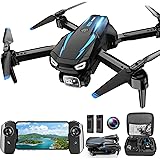
Is your drone encountering unexpected issues? Perhaps it’s unresponsive, struggling with connection, or behaving erratically. Many drone operators face these frustrating problems. Fortunately, a simple drone reset can often restore normal function. The accompanying video above visually demonstrates how to perform a basic reset. This article expands on those crucial steps. It offers deeper insights into why and when you should consider resetting your drone.
Why Consider a Drone Reset?
Drones are intricate flying machines. They rely on complex software and hardware. Sometimes, these systems can experience glitches. Think of it like a computer or smartphone. They sometimes need a quick reboot. A drone reset provides a similar fresh start. It clears temporary bugs and software conflicts.
Common issues benefit from a quick reset. These include problems with controller binding. You might also see unstable flight behavior. Persistent signal loss is another frequent complaint. Erratic motor responses can also occur. A reset might be the simple solution needed. It can prevent more complicated troubleshooting.
Preparing for Your Drone Reset
Before any reset procedure, some checks are vital. Ensure your drone’s battery is adequately charged. The remote controller battery should also be full. A sudden power loss during a reset is problematic. It could lead to firmware corruption. This is like turning off your computer mid-update. It creates bigger headaches.
Additionally, always consult your drone’s user manual. Each drone model has specific quirks. Some manufacturers have unique reset sequences. They may require different button combinations. Knowing your specific model’s steps is important. It prevents accidental system changes.
Step-by-Step: Resetting Your Drone
The video provides a clear visual guide. Follow these actions carefully. First, ensure your drone is powered off. Disconnect any external accessories. This includes propeller guards or payloads. Next, pick up your remote controller. Insert any necessary phone stand if applicable.
Locate the specific reset button or sequence on your remote. Press and hold this button. You will likely hear a series of beeps. The remote might emit three short beeps. This indicates the reset process is starting. A long beep usually signals completion. The drone’s lights will flash, confirming its status.
After the remote beeps, release the button. Now, move the joysticks on your controller. You might need to move both joysticks. Push them to their outer limits. This helps re-calibrate the control sticks. Finally, press another button on the remote. This might be a power or binding button. The drone motors should whir briefly. This confirms the system reset.
What Happens After a Drone Reset?
A drone reset, especially a factory reset, returns it to its original state. All custom settings are erased. This includes Wi-Fi passwords and flight parameters. It’s like buying a brand-new device. The drone is now a “clean slate.” This can be a good thing for troubleshooting.
You will need to re-pair or bind your drone. This connects it to your controller again. It is similar to pairing a new Bluetooth device. Follow your manual’s binding instructions. Calibration is also essential post-reset. This includes compass and IMU calibration. Proper calibration ensures stable and safe flight. Always perform a short test flight afterwards. Check all controls and functions carefully.
When is a Reset Not the Answer?
While a drone reset solves many issues, it’s not a magic bullet. Physical damage requires repair, not a reset. A crashed propeller needs replacement. Cracks in the frame need professional attention. Software updates might also be necessary. A reset won’t update old firmware. Always check for available updates first.
Specific error codes often point to distinct problems. Refer to your drone’s manual for these codes. They guide you to the exact issue. Sometimes, professional technical support is best. Do not hesitate to contact the manufacturer. They can offer specialized advice. Using a drone reset incorrectly can sometimes worsen problems.
Understanding how to perform a **drone reset** is a valuable skill. It empowers you to tackle common problems. Always prioritize safety and consult your manual. A quick reset can often get you back in the air. Keep your drone performing at its best.
Clearing the Air: Your Drone Reset Q&A
What is a drone reset?
A drone reset is like rebooting a computer; it gives your drone a fresh start by clearing temporary bugs and software conflicts. It can help restore normal function when your drone is having issues.
Why might my drone need a reset?
You might need to reset your drone if it’s unresponsive, struggling with connection, behaving erratically, or showing unstable flight behavior. It can fix common glitches and prevent more complicated troubleshooting.
What should I do before attempting a drone reset?
Before resetting, ensure both your drone and remote controller batteries are fully charged to prevent firmware corruption. Always consult your specific drone’s user manual for its unique reset steps.
What happens after I reset my drone?
After a reset, your drone returns to its original factory settings, erasing all custom configurations. You will then need to re-pair it with your controller and perform essential calibrations like the compass and IMU.